SafeCircle apps for every family
A child app that spots risks on the phone, a parent app that tells you when it matters, and a web dashboard for the bigger picture.
Everything in one place
01
SafeCircle Parents (Android)
Real-time alerts with the risk level, the category and a short explanation. Add each child, pair their phone by scanning a QR code, see alerts per day and top categories, and choose which alerts notify you.
02
SafeCircle Child (Android)
Runs on your child's phone and spots risks on the device, so their messages never leave it. Pairs with the parent app in seconds with a QR code.
03
Web dashboard
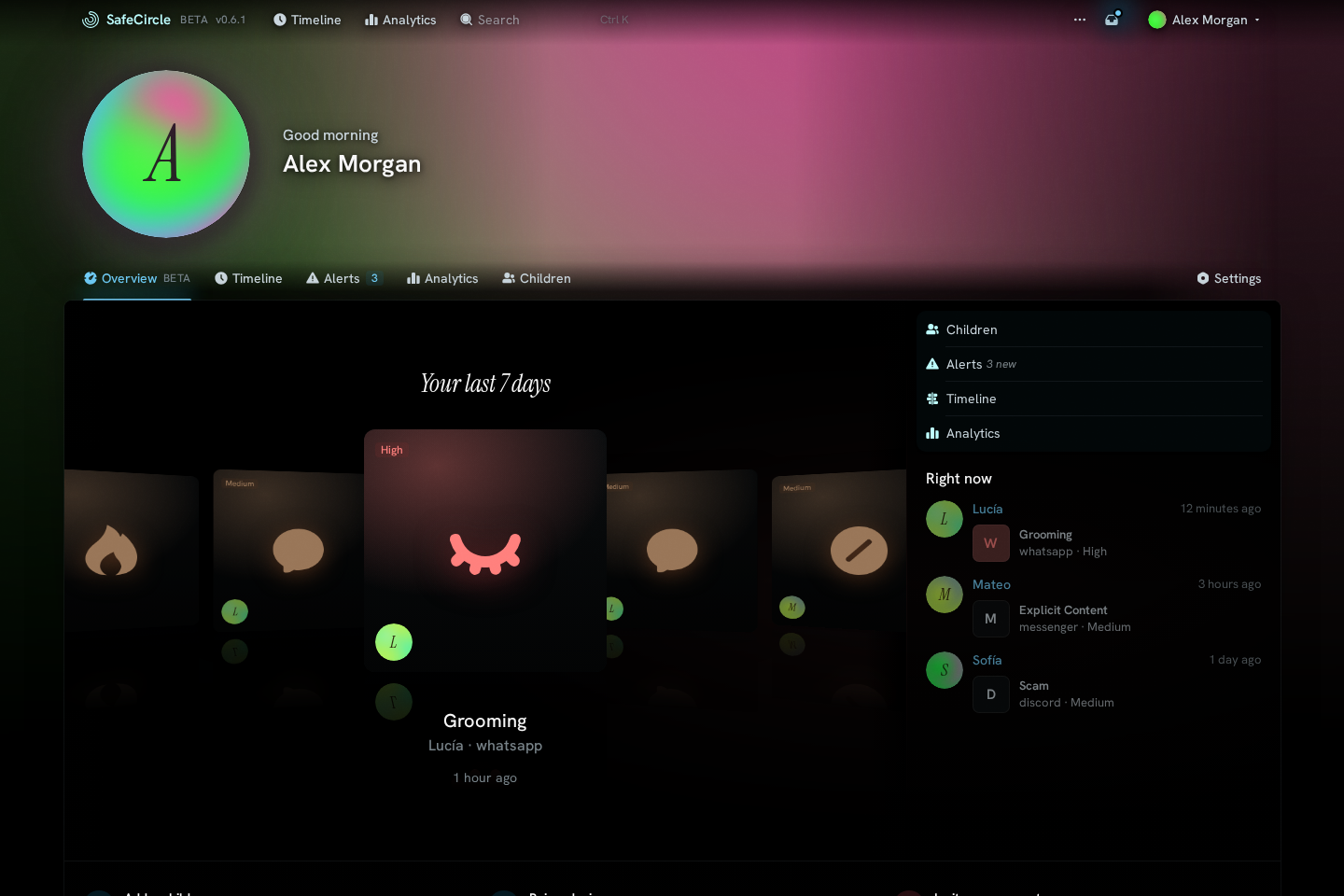
Review alerts, analytics and your children's devices from any browser. Available in nine languages and protected with passkeys and two-factor authentication.
04
AI Playground (Android)
Chat with on-device AI models and ask about images, with nothing leaving your phone. Free and open source.
05
iOS
Coming soon. Join the iOS waitlist and we'll tell you the moment it's ready.
Alerts that explain themselves
The parent app tells you when it matters: the risk level, the category and a short reason, never the message itself. You choose which alerts notify you.
The bigger picture, in your browser
The web dashboard shows the latest alerts, trends over time and a breakdown by category and app. It speaks nine languages.
Pair a phone in seconds
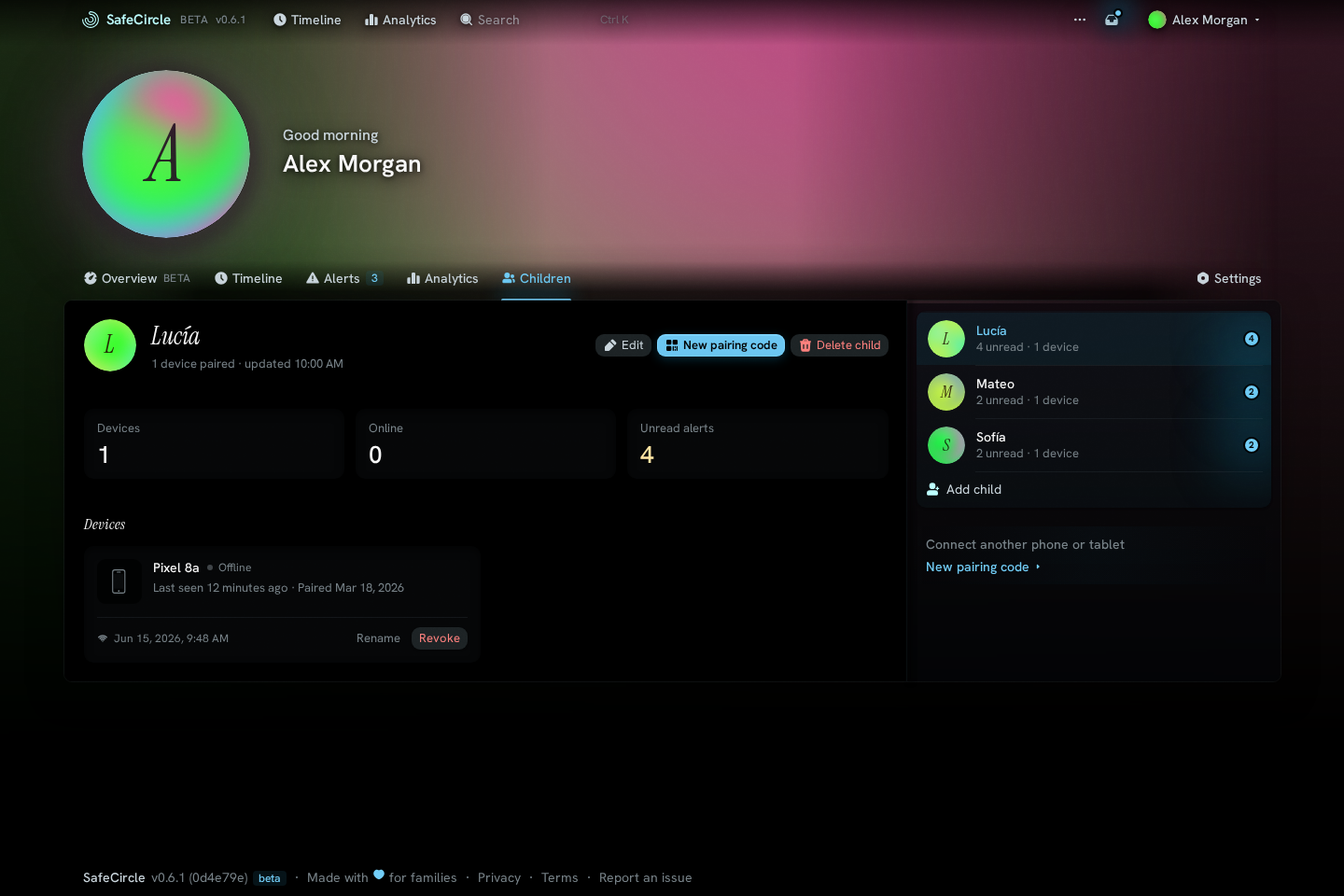
Add each child, scan a QR code on their phone and the child app starts watching for risks on the device. Manage every paired device from one list.
Locked down by default
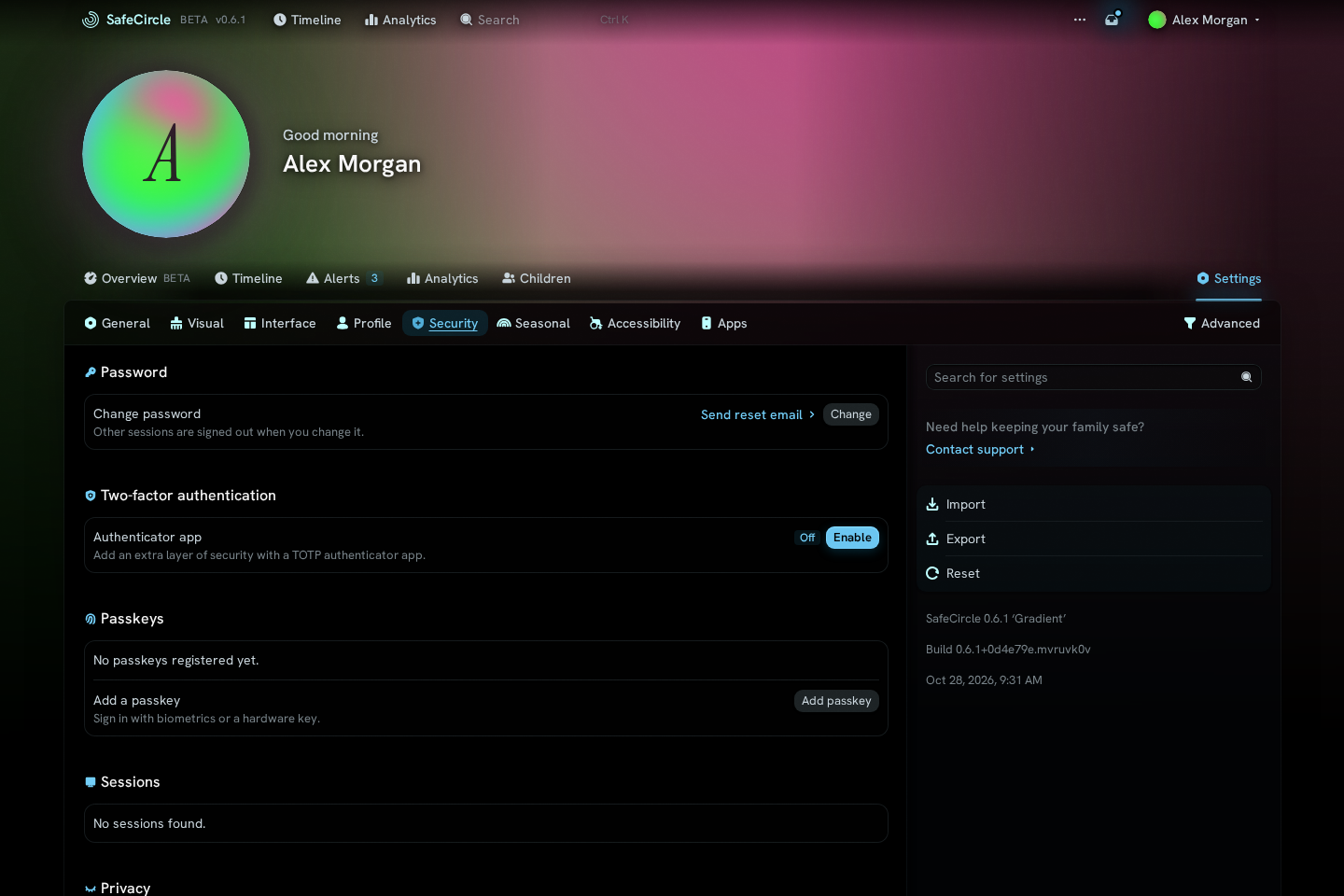
Protect your account with passkeys and two-factor authentication, and review what is connected at any time.
Join the Android beta
The apps are in open beta on Google Play. It takes three steps:
1. Create your account at app.safecircle.tech.
2. Join the SafeCircle testers group with your Google Play account.
3. Install SafeCircle Parents on your phone and SafeCircle Child on your child's phone, then pair them with the QR code.
Beta builds can change quickly. Tell us what you find from the in-app feedback sheet or the contact page.